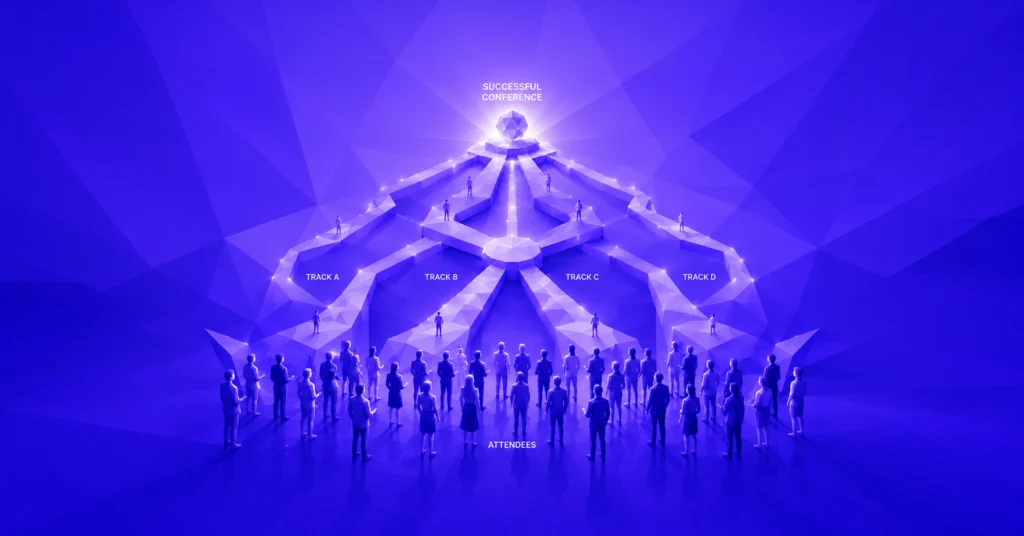
A familiar calculation in many B2B companies: 340 registrations, 212 people attending, 190 rows in the export, 168 records after importing into the CRM – and only 120 complete enough for the sales team to actually use.
Nothing went wrong with the event itself. The programme was good, the 62% attendance rate was solid, and the feedback was positive. The losses happened along the data journey: in the registration form, during export, in field mapping, through duplicate checks, and in the days that passed before someone started the import.
This part of the process rarely appears in event reports. Teams report registrations and satisfaction scores. But sales and marketing have to work with whatever actually makes it into the CRM. If you don’t understand the gap between those numbers, you may end up discussing the wrong KPI in your next budget meeting – and explaining months later why a well-attended event generated so little pipeline.
The key point: almost all the work required to improve CRM data quality happens before the event. Afterward, every correction becomes manual work.
Measuring event contribution to pipeline therefore requires more than counting registrations. What matters is how many usable attendee records actually reach the sales team.
Five points where records go missing between registration and CRM
Data loss tends to happen at five recurring points. Reviewing them individually usually reveals the areas causing the most friction in your current setup.
1. Free-text fields instead of structured options
An open company-name field can easily produce variations such as “Siemens AG”, “Siemens”, “siemens ag”, “Siemens Germany” and “SIEMENS” across 200 registrations.
In the CRM, these become five separate company records. Account-based reporting becomes difficult unless someone manually standardises the entries afterward.
Structured input fields and consistent field definitions help prevent these discrepancies at the registration stage.
2. Duplicate records from multiple channels
The same person registers through a newsletter link, gets added to the guest list by a colleague and scans a QR code at the venue using a second email address.
Duplicate CRM records quickly become a problem when importing event data. The source material uses a tolerable duplicate rate of below 3–5% as a benchmark. Large event imports can easily exceed that range.
Without predefined deduplication rules, multiple registrations turn into unnecessary contact records. Cleaning them up afterward takes time and makes reporting less reliable.
3. Missing attendance status
If you only transfer registrations into your CRM, the sales team also receives records for people who never attended the event.
With the illustrative attendance rate of 62%, that means 38% of registered contacts were not there. The first sales call might then start with an incorrect assumption: “Great to have you with us.”
Registration and actual attendance must therefore be treated as separate data points. Attendance status should be stored as its own CRM field.
4. Consent without a clear legal basis
Registering for an event is a request to participate. It does not automatically mean that someone has consented to sales outreach or newsletter communication.
This distinction needs to be clearly reflected in the registration form and stored transparently in the CRM.
If event participation, photo consent and marketing communication are bundled into a single checkbox, it becomes difficult to determine which permission was actually granted.
Reliable documentation should include the relevant legal basis, the consent text and a timestamp. Without this information, future use of attendee data can create legal and operational risks.
5. Delayed follow-up
The commercial value of an event lead also depends on how quickly sales follows up. The benchmarks referenced in the source article indicate a significant decline in response rates over time: from around 25% within the first 24 hours to below 8% after 72 hours.
The article also references a figure indicating that more than 70% of B2B event leads receive no sales follow-up at all.
An import that only happens a week after the event transfers data whose commercial value may already have dropped considerably.
The benchmark figures should be checked against their original sources before publication.
Four fields decide whether a CRM record is usable
Most attendee exports contain twenty to thirty columns. But four information categories are particularly important when it comes to making a record useful in your CRM.
1. Standardised company name and domain
The domain of a business email address is often a more reliable identifier than a manually entered company name. It helps match contacts to existing accounts and identify multiple registrations from the same organisation.
If four people from a target account register for an event, that’s a relevant signal for sales. Without consistent account matching, this information can disappear across separate company records.
2. Role category instead of job title
A job title such as “Head of Digital Experience & Brand Communication” is not particularly useful for consistent segmentation.
Assigning contacts to three to five role categories makes the data much easier to work with. For example:
- Decision-maker
- Functional department
- Influencer
- Service provider
- Other
This turns an unstructured text field into a segmentation criterion that can be used directly in the CRM.
3. Attendance and time spent at the event
A useful event record should show more than whether someone registered. It should also indicate whether they actually attended, how long they stayed and which sessions they joined.
There’s a meaningful difference between someone who spent 20 minutes at an event and someone who attended three full expert sessions. This information provides a valuable indication of their interests.
4. Legal basis and timestamp
For every contact, you should be able to identify which consent was given, when it was given and which version of the consent text applied.
This creates transparency for future communication and makes the processing of attendee data easier to document and verify.
When these four information categories are properly maintained, a record can still be useful to sales even without a phone number or industry field. If these foundations are missing, additional information elsewhere won’t solve the problem.
Data quality is decided in the form, not in the import
Many event teams get the sequence wrong: first they collect registrations, then they figure out how to transfer the attendee data into their CRM.
Three decisions made before the event goes live can prevent a significant amount of manual cleanup later.
Define field mapping before publication
Every registration form field should have a predefined destination column in the CRM before the event page goes live. Fields without a clear purpose should be removed.
This reduces unnecessary questions in the registration form. It also makes event data CRM integration more predictable because the data structure is already defined before the first person registers.
A clear connection between the registration flow and form fields ensures that the information collected can actually be used later.
Keep required fields to a minimum
For an initial usable attendee record, four required fields are sufficient in many B2B setups:
- Name
- Business email address
- Company
- Role
Additional information can be optional or collected later, for example through the confirmation email or during session selection.
Every additional required field increases the effort involved in registration and can lead to unnecessary or inaccurate entries.
Define duplicate-handling rules in advance
Before the first import, decide which field will serve as the unique identifier. In most cases, this is the email address.
It’s equally important to decide what happens when a match is found:
- Update the existing record.
- Merge the records.
- Flag the match for manual review.
Defining this rule once takes relatively little effort. Applying it retrospectively to a large attendee list takes considerably longer.
Collect consent separately
Event participation, photo consent and marketing communication should be recorded using separate checkboxes.
This creates three clearly distinguishable data points instead of one combined consent field whose individual components can no longer be reliably identified later.
Where AI actually earns its place in this process
AI doesn’t solve every CRM data quality problem. But for three specific tasks, it can significantly simplify the preparation of event data.
Normalisation and matching
AI can standardise different company-name variations, compare legal suffixes, consolidate spelling variants and identify potential typos in email addresses.
Especially with larger attendee lists, this helps identify recurring discrepancies faster and match contacts to existing accounts more consistently.
Classifying free-text responses
Job titles can be converted into predefined role categories. Open answers from registration forms, such as “What topics are you most interested in?”, can also be grouped into thematic clusters.
An unstructured column becomes a segmentation field that can be used for further work in the CRM.
Summarising engagement signals for each contact
Session attendance, time spent at the event, questions asked and registration details can be combined into a short summary for each contact.
This gives sales representatives useful context for their first interaction and helps them understand why someone attended the event and which topics matter to them.
Two limitations are important:
- Legal basis: Enriching records with data from external sources does not replace the legal basis required for using that information.
- Data accuracy: AI models can fill missing information with plausible but incorrect details. Automatically generated fields must therefore be clearly labelled.
Make the 72-hour handover a process
Rather than focusing on importing everything as quickly as possible without clear responsibilities, event leads should be handed over to sales through a defined process.
A practical workflow divides the work into three days:
Day 0: Immediately after the event
Attendance status is recorded. Bounces and obvious input errors are flagged. When check-in is properly organised, this step takes only a few minutes.
Day 1: Prepare and import the data
Import the records using the predefined field mapping. Then check for duplicates, standardise company names and classify roles.
Segment contacts into three groups:
- Sales handover
- Marketing nurturing
- No follow-up
Day 2: Hand over contacts to sales
The first group is transferred to sales with a short context note for each contact. A clear timeframe for outreach is defined at the same time.
Leads contacted within 24 to 48 hours have better conditions for a successful response than contacts approached a week later.
What matters most isn’t speed at any cost. It’s accountability. Three questions should be answered before the event:
- Who hands over the attendee data?
- Who receives the contacts?
- By when and with which minimum dataset does the handover happen?
These agreements belong in the event briefing, not in a follow-up meeting two weeks after the event.
Where eventpage.ai fits in
Much of the data loss described above happens at the boundaries between different systems: registration tools, check-in lists, spreadsheet exports and CRM platforms. Every transition creates another opportunity for information to get lost.
eventpage.ai addresses this part of the data journey. Registration, check-in, session attendance and consent information are managed in one shared data model instead of four separate ones.
Attendance status and time spent at the event are generated during check-in. Consents are recorded separately and stored with timestamps and text versions. CRM handover uses predefined field mapping, so exports don’t need to be reinterpreted from scratch for every event.
This doesn’t replace a well-designed data strategy. It provides the foundation for ensuring that the four information categories that determine whether a record is usable are actually present.
Conclusion: Get attendee data into your CRM within 72 hours
The gap between registrations and usable contacts can be measured. In many event setups, it’s larger than the usual post-event reports suggest.
The path to better CRM data quality is straightforward: define field mapping before launch, use four essential required fields, establish a duplicate-handling rule, collect consents separately and create a binding handover process within 72 hours.
This turns event registrations into structured attendee data that sales and marketing can actually work with.
Start now with eventpage.ai and bring registration, check-in and attendee data together in one structured event data process.