












MCP server for event management
Your event management, right inside Claude & ChatGPT
The eventpage MCP server connects your events, guest lists, tickets and agendas to the AI tools your team already uses. Ask in plain language or create event drafts. No coding required.
How many guests have confirmed for our Product Launch on Friday?
eventpage - guest_stats_getHere is the current status for “Product Launch 2026” (Fri, 8 pm, Munich):
Should I export the waitlist as a table or add the 5 VIP guests from your list?
Works where you work
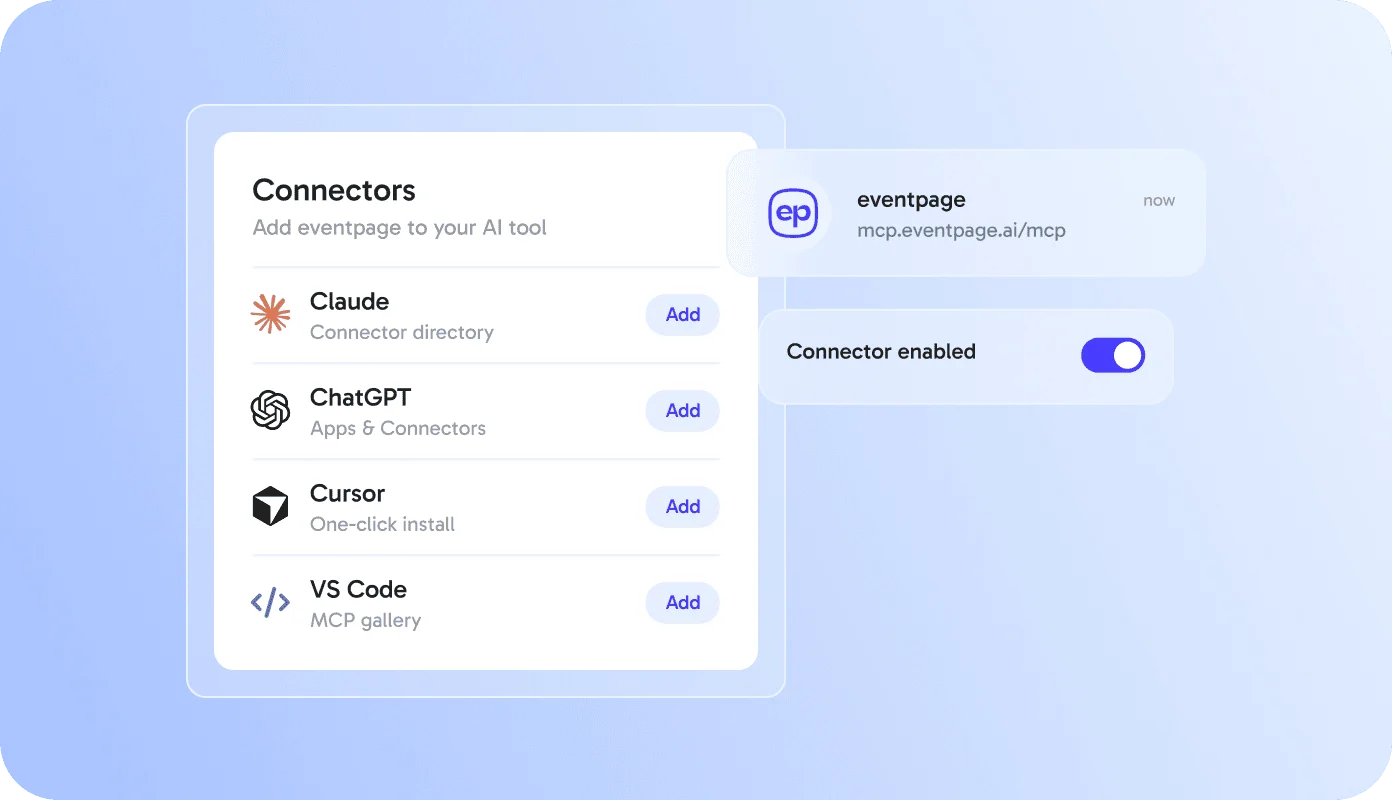
Connect eventpage to the AI tools you already use
Pick your assistant, sign in once with your eventpage account and start asking.
Explained
What is an MCP server for event management?
An MCP server for event management is an interface that lets AI assistants such as Claude or ChatGPT read and update data in an event platform. MCP stands for Model Context Protocol, an open standard for connecting AI tools to software. The eventpage MCP server gives your AI assistant secure access to your events, guest lists, tickets and agendas - always within your eventpage permissions.
Instead of exporting lists or switching tabs, event managers ask questions like “Who hasn’t checked in yet?” and get answers from live eventpage data. Event drafts, guest updates and agenda changes happen in the same chat.
Key facts
- Server URL
https://mcp.eventpage.ai/mcp- Protocol
- Model Context Protocol (MCP), Streamable HTTP
- Sign-in
- OAuth 2.1 with your eventpage account
- Works with
- Claude, ChatGPT, Claude Code, Cursor, VS Code
- Tools
- 20 tools: 13 read, 7 create & update
- Access levels
- Read only or Read & write, per connection
- Data location
- EU (eventpage hosting in Frankfurt)
- Available on
- {{plans}}
Set up in 2 minutes
Connected in three steps
No API keys, no code. You sign in with your eventpage account and decide what the AI is allowed to do.
Add the connector
Choose eventpage in your AI tool’s connector directory or paste the server URL.
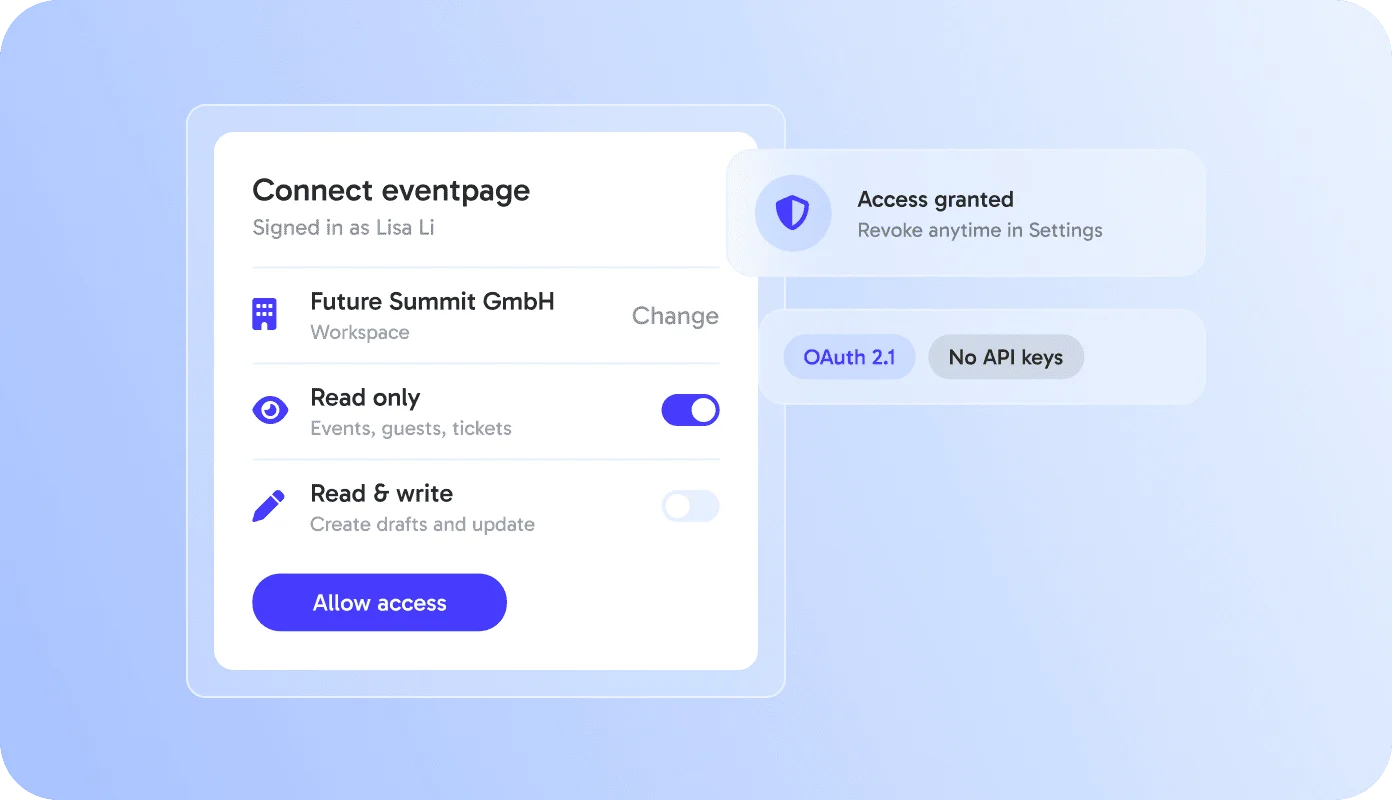
Sign in and choose access
Log in with your eventpage account, pick a workspace and choose Read only or Read & write.
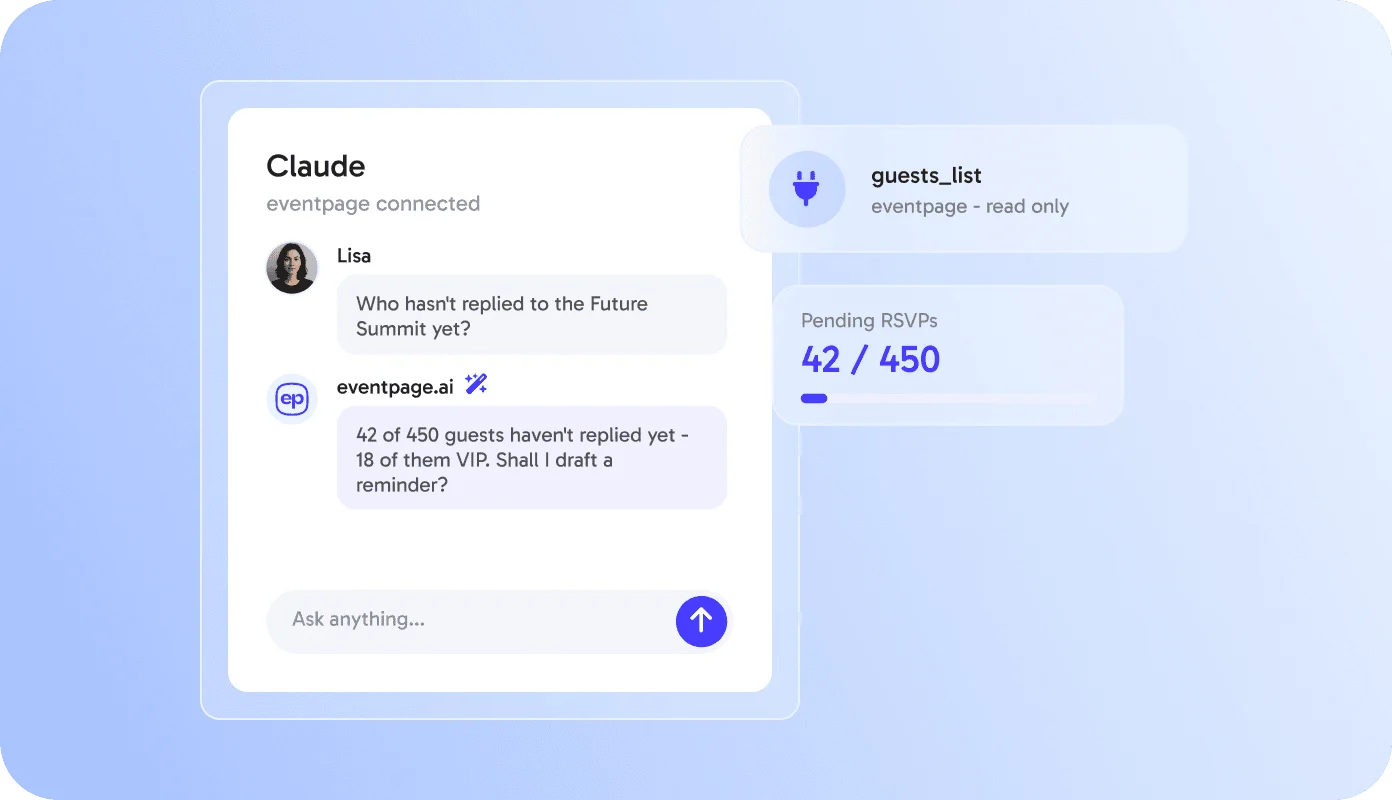
Ask in your own words
Ask about guests, tickets or agenda - or let the AI create a draft event for you.
Try asking
What you can do with eventpage in your AI chat
From quick answers to new event drafts - just ask in your own words.
What’s included
Read, create and update - with clear limits
The connector covers your daily event work. Sensitive actions stay in eventpage.
Read
- Events and event pages
- Guest lists, RSVPs and check-ins
- Tickets, orders and revenue
- Agenda, sessions and speakers
- Communities and members
- Templates and campaigns
Create & update
- Event drafts - never published automatically
- New events from your templates
- Dates, locations and event details
- Add guests and check them in
- Agenda sessions
- Community posts
Stays in eventpage
- Deleting events or guests
- Refunds and payouts
- Publishing events
- Sending emails to guests
- Workspace and billing settings
- Importing guest lists
Security & permissions
You stay in control of what the AI can do
Secure sign-in with OAuth - no API keys, no passwords shared with the AI tool.
Your permissions apply
The AI only sees and changes what your eventpage role allows - in the workspace you choose.
Read only or read & write
Decide at sign-in whether the AI may only read or also create and update.
Revoke anytime
See every connected AI tool in Settings and disconnect it with one click.
Admin control & activity log
Admins can switch AI connectors off for the whole workspace and see every change an AI made.
For developers
One URL. Every MCP client.
A hosted remote MCP server with OAuth 2.1 - no API keys to manage, nothing to install locally.
- Streamable HTTP transport
- OAuth 2.1 with PKCE - sign in with your eventpage account
- Listed in the official MCP Registry
Server URL
https://mcp.eventpage.ai/mcpclaude mcp add --transport http eventpage https://mcp.eventpage.ai/mcp
cursor://anysphere.cursor-deeplink/mcp/install?name=eventpage&config=eyJ1cmwiOiJodHRwczovL21jcC5ldmVudHBhZ2UuYWkvbWNwIn0=
{
  "mcpServers": {
    "eventpage": {
      "url": "https://mcp.eventpage.ai/mcp"
    }
  }
}
FAQ
Questions about the AI connector
Everything you need to know before you connect.
What is the eventpage AI connector?
It connects eventpage to AI assistants like Claude and ChatGPT via the Model Context Protocol (MCP). You can then read and manage your events in plain language, right inside your AI chat.
Which plan do I need?
AI connectors are included in {{plans}}. You also need an AI tool that supports connectors, for example Claude or ChatGPT.
Can the AI delete events or issue refunds?
No. Deleting, refunds, publishing and emails to guests stay in eventpage. The AI can read data and create or update drafts - and only within your role.
What happens to my data?
eventpage only shares the data your request needs with your AI tool. How the AI tool processes data is governed by its provider. You can find details in our privacy policy.
How do I disconnect?
In eventpage under Settings > AI connections or in the connector settings of your AI tool. Admins can switch AI connectors off for the whole workspace.
Do I need technical knowledge?
No. You add the connector, sign in with your eventpage account and start asking. Developers can also use the server URL in any MCP client.
Connect eventpage to your AI in 2 minutes
Sign in once, choose your workspace and start asking.
Get early access to the eventpage AI connector
Be among the first teams to manage events in Claude and ChatGPT. Leave your details and we will set up your workspace and show you the connector in a short demo.
Thanks! We will be in touch shortly.