When evaluating community events, teams often look at registration numbers first. If the room is full, the event is considered a success. That is understandable because reach is easy to report. But it is a misconception: a community is not strong because lots of people show up once. It becomes strong when the same people return and eventually start inviting others themselves.
An event where two-thirds of attendees are first-timers, with no plan for the day after, is not a success. It is a fresh start that has to be repeated at every event. The work involved in invitations, organisation and moderation starts from scratch each time, without building anything lasting. This article explains how community leads can deliberately guide attendees from their first to their second visit and which tasks can usefully be handed over to AI.
Why the second visit matters
At their first event, guests assess whether the time was worth it. At the second, they decide whether they feel they belong. The period in between is often left unplanned: the event ends, the slides are emailed, and the next message arrives only with the next invitation. By then, weeks may have passed, and the message feels more like an ordinary newsletter.
This pattern is familiar from conversations with community and event teams. People rarely drop off because of the event itself. The gap comes afterward, because nobody feels responsible. The moderation, technical and catering teams were busy, and follow-up gets pushed to next week’s task list. Closing this gap can make a bigger difference than investing in a more elaborate programme.
Step 1: Identify first-time attendees
Before you can treat a guest differently, you need to know who is new. One field in the guest list is enough: has this person attended an event before, yes or no? If this information is missing because registrations are stored in a form, confirmations arrive by email and names are recorded on a check-in list, you have to compare three separate sources to answer the question.
The practical solution is a central guest list that links every registration to an individual across multiple events. This makes it possible to identify first-time attendees during registration and confirm at check-in who actually showed up. The distinction between registered and attended guests is the basis for every subsequent decision.
Step 2: Plan the first impression
New guests often face an orientation problem. They do not know anyone, are unsure how formal the event will be and see a group of people who already know each other. Three simple measures can make a noticeable difference:
- Send a short message in advance: Two days before the event, send a message with the schedule, venue and a question about whether the guest would like to bring someone along. This reduces uncertainty before it becomes a reason to cancel.
- Assign a host to each group: Designate two or three members to approach new guests. This can replace the need to rely on a welcome slide. The important thing is to assign the role in advance rather than leave it to chance.
- Add a first-timer indicator to name badges: A small marker helps regular members start conversations without having to ask whether they have met before.
Step 3: Follow up within 48 hours
The period immediately after an event is the most effective window because the experience is still fresh. A personal message needs two concrete elements: a reference to the evening, such as a topic, conversation or photo, and one clear next step, such as the next meetup or joining the community group. The more options a message contains, the less likely people are to act on them.
This is where teams often run out of time. With 150 guests and one person handling community management, sending an individual message to every guest is not realistic. A split approach makes more sense: send personal messages to the people who warrant them, such as speakers, particularly active guests and key multipliers. For everyone else, prepare a draft tailored to their segment and briefly review it before sending.
Step 4: Actively invite guests to the second event
A mention in a newsletter is not a personal invitation. If you want someone to return for a second visit, invite them to a specific event and give them a reason that fits their interests: a topic they enjoyed at the first event or someone they would like to see again. The registration process should also be as short as possible. If guests have to enter their entire profile again, they may decide that the effort outweighs the benefit.
A simple initial goal is to get more than two out of every ten first-time attendees to return for the next event. This number is intended as a guide and should be replaced with your own data after evaluating three or four events. The exact figure is less important than measuring it in the first place.
What AI can actually do in this process
AI is useful in three areas where community teams currently lose time:
- Segmentation: Guest lists can be divided into groups such as first-time attendees, returning guests, speakers and registered guests who did not show up. Each group receives a different message.
- Drafting messages: A message for a first-time attendee should sound different from one for a regular member. One draft per segment reduces writing work, while approval remains with you.
- Flagging patterns: If an unusually high number of registered guests fail to show up or a segment does not return after two events, that is a signal that can easily get lost in a spreadsheet with a thousand rows.
What AI cannot replace is the relationship itself. The host at the entrance, the conversation during a break and the personal message to a speaker remain human tasks. Technology creates more room for these interactions by taking routine work off the team’s plate.
Where eventpage.ai fits in
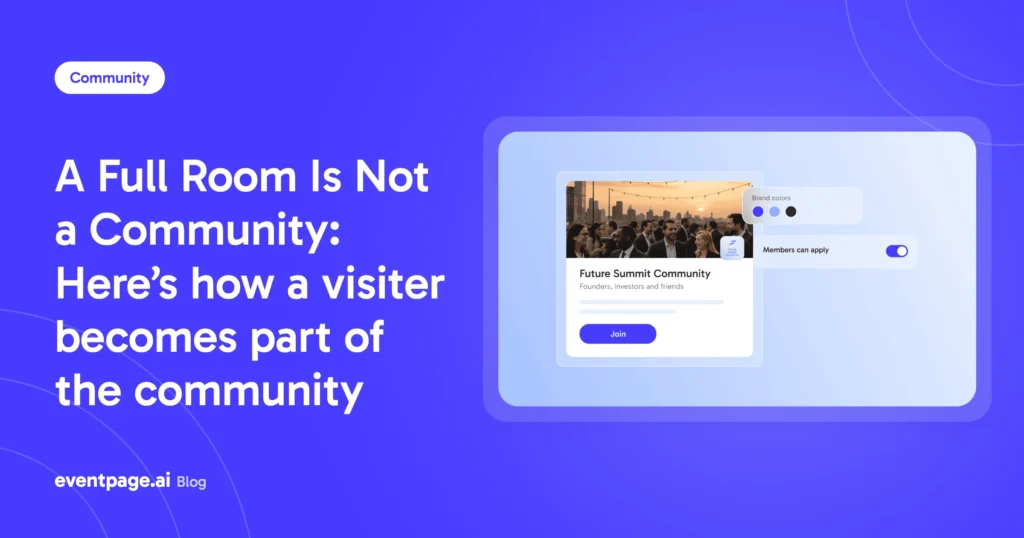
For teams that currently manage event pages, registration, guest lists, check-in and communication in separate tools, eventpage.ai brings these steps together in one place. In practice, the event page can be created from a brief in just a few minutes, every registration is added to a central guest list, check-in runs via QR code, and the event can become a starting point for building a community where members stay connected between dates.
Whether you use this setup depends on your needs. The method described above also works with a well-maintained spreadsheet, but manual administration becomes more demanding with every additional event.
Common pitfalls
Three mistakes regularly occur in community teams:
- Sending everyone the same message: Every attendee receives the same post-event email. First-timers get the same message as members who have been part of the community for years.
- Combining the recap with the next invitation: The invitation to the next event is mixed with documentation of the previous one. As a result, both messages can get lost.
- Missing a legal basis for follow-up communication: Before contacting first-time attendees, clarify what they consented to during registration and whether it covers the planned follow-up. A short notice in the registration form helps establish clarity and can be set up once.
A checklist to take away
- Maintain a central guest list that links individuals across multiple events.
- Record whether someone is attending for the first time during registration.
- Send an information message two days before the event.
- Assign hosts to welcome new guests in advance.
- Send a message within 48 hours that includes one personal reference and one next step.
- Personally invite first-time attendees to the second event.
- Track the return rate for every event.
Conclusion
A community is not built through size but through repeated participation. By planning the transition from the first visit to the second, you can build something more substantial with the same event effort.
Start now with eventpage.ai and bring your event page, registration, and guest list together in one place. Identify first-time attendees and create a clearer path for their next steps in your community.