Email carries the invitation, LinkedIn builds the buzz. Then comes the gap between registration and event day: reminders stay unopened, venue changes get buried, and check-in details land in an inbox nobody checks on the way to the door. A messaging app can close that gap. In the DACH region, WhatsApp is a natural choice because it is already opened by many guests every day.
It is also the channel where mistakes can damage trust fastest: a message sent without consent, copy that feels like an ad, or a sender nobody recognises.
This article covers where WhatsApp earns a place in your event marketing mix, how to set up a WhatsApp opt-in and a clear message sequence, and where AI can take work off your plate.
What WhatsApp Is Good For, and What It Is Not
WhatsApp works well for short, time-sensitive and personal messages: a date reminder, a room change, the entry window or a ticket link. It is less suited to long programme descriptions, newsletter formats or first contact with people who have never heard of your event.
Email, LinkedIn and the event page remain the right channels for those jobs.
A simple division of labour works well: the event page is the single source for the programme and tickets. Email carries the detail. WhatsApp reminds and nudges, always with a link back to the event page. When something changes, you update one place instead of three channels.
Opt-In: Consent Belongs in the Registration Flow
The most common mistake is not the copy but the order of operations. A phone number collected for registration cannot simply be reused for marketing messages.
Consent needs to be explicit, freely given and clear about its purpose. That makes the registration flow the right place for it, rather than a follow-up email. The platform has its own rules as well: Meta requires an opt-in for business-initiated messages and pre-approved templates once the 24-hour window after the person’s last message has closed. Check the current WhatsApp Business policies before implementation and align the process with your data protection contact. This is not legal advice.
For your registration form, that means:
- The phone number is an optional field.
- A separate, unticked checkbox, for example: “Yes, send me reminders and updates about this event via WhatsApp.”
- A short line explaining frequency and content, for example: “No more than five messages before the event.”
- Opting out works with a single reply, and every message explains how to do it.
A worked example based on assumptions, not measured data: with 400 registrations and a 55 percent opt-in rate, you reach 220 people. Every additional percentage point adds four more contacts. The wording next to the checkbox is therefore a useful test candidate: compare two versions and measure the opt-in rate after 100 registrations for each.
A Five-Step Message Sequence
Fewer messages with a clear job work better than a long chain. For many event formats, a five-step sequence is enough:
- Right after registration: Thank the attendee, confirm the date and venue, provide the ticket or wallet pass link and explain how to opt out.
- About a week before: Highlight one programme item worth the trip, link to the agenda and invite the attendee to bring a colleague.
- Two days before: Share directions, parking information, the entry window and dress code.
- On the morning of the event: Tell guests when doors open, where to meet and who to ask for help on site.
- The day after: Say thanks and share the feedback and materials link. Then stop unless the person has asked for more.
The same rules apply to every message: no more than three lines, one link, one clear purpose and a recognisable sender.
An example for the first message: “Hi Anna, this is the team at [Event]. Your seat on 14 November is confirmed. Ticket and directions: [link]. To opt out, just reply STOP.”
Decide in advance who reads the replies. A message that invites questions will generate questions. An unanswered channel looks worse than no channel at all.
What to Measure
Three numbers are enough to start: the opt-in rate at registration, the click rate per message and the opt-out rate per message.
If opt-outs jump after a particular message, it may be too long, too early or too promotional.
Trackable links per channel also show how many registrations come from forwards. Guests like to pass invitations on through messaging apps. That effect stays invisible as long as everyone uses the same link.
The most useful comparison comes after two or three events: how does the show-up rate differ between guests with and without WhatsApp opt-in? Do not draw conclusions too early. People who opt in may already be more engaged from the start.
Where AI Helps, and Where It Does Not
For WhatsApp communication, AI mainly takes over drafting and sorting tasks.
Copy variants and trimming
From one event brief, you can create three versions per message in a consistent tone, in German and English. You then select and adjust the version that fits.
Segmentation
Speakers, sponsors, VIP guests and general attendees need different information. AI can help build these groups and suggest matching text blocks.
Pre-sorting replies
Questions about directions, tickets or entry can be recognised and paired with a draft answer that a person approves before sending.
Checking send times
Past events can show when reminders were clicked most often.
The limits are clear: personal concerns, complaints and special requests need a human response. Times, venues and links in AI drafts should be checked before sending. Personal data should only go into tools covered by an appropriate data processing agreement.
Where eventpage.ai Fits In
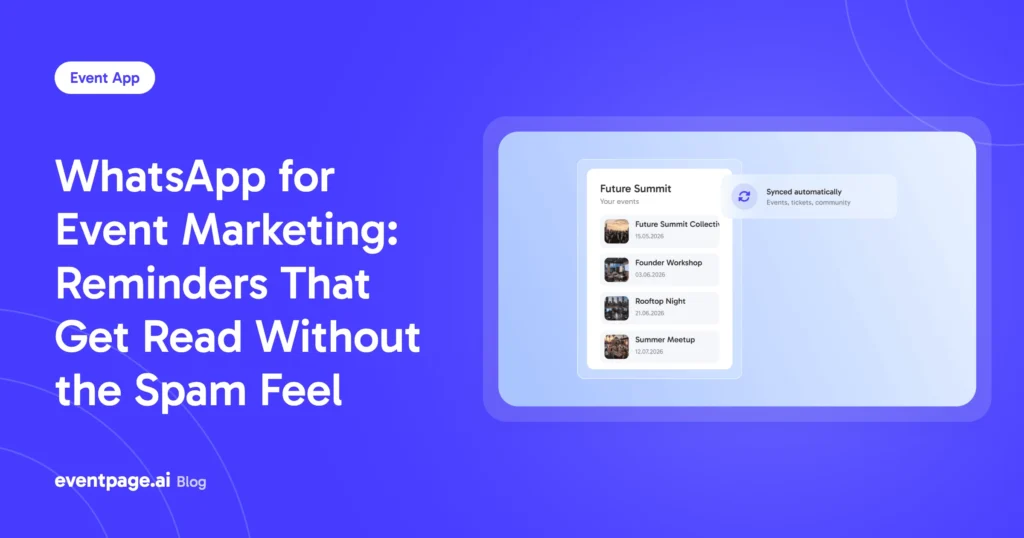
The WhatsApp opt-in happens during registration. That is where eventpage.ai brings the event page, sign-up and ticketing together. For communication, there is the WhatsApp integration and the CommunicationKIT for WhatsApp marketing.
Trackable promoter links and eventlink.bio show which channel brings registrations. The PromotionKIT creates copy, flyers and videos for promotion with AI. Which of these are included in your plan is listed in the current pricing and feature overview.
Invitation Management: Connecting Invitations and WhatsApp Communication
WhatsApp works best in event marketing when the invitation is not treated as a separate step. Registration is where attendee communication, consent and later reminders come together.
For invitation management, this means keeping the event page as the central place for the programme and tickets while WhatsApp accompanies registered guests with short, relevant messages leading up to the event. The invitation stays connected to the later communication without requiring the same information to be maintained across multiple channels.
The key is a clean transition from invitation to attendance: opt-in during registration, a small number of clearly defined messages and a direct path back to the event page.
Conclusion and Next Step
A second communication channel pays off when it starts cleanly: consent at registration, a handful of messages and one person who reads the replies. Then WhatsApp does not become another inbox. It becomes the channel that gets guests to the event on time without unnecessary extra work.
Start for free with eventpage.ai and bring registration, ticketing, and attendee communication together in one seamless event flow.