Every conference that reaches a certain size faces the same decision: open seating or assigned seats? Often, the choice is dictated by the venue, budget or habit. Yet it affects much more than the seating arrangement. It influences how smoothly check-in runs, how well sponsors and guests of honour are accommodated, how much coordination the team needs in the final days and what attendees expect from their tickets.
This guide gives you a clear framework for making that decision. You will learn when open seating is enough, when a conference seat map is worth the effort, how to create one in five steps and where AI can take care of preparatory work without taking the decisions out of your hands.
When Open Seating Is Enough
Open seating is not a fallback option. For conferences with rotating sessions, standing tables, workshops or a strong networking focus, it is often the better choice. Attendees move around anyway, so a fixed seating chart can become outdated after the first break. For free community events with fluctuating attendance, the planning effort is often unnecessary too.
Open seating works well when:
- room capacity is not a bottleneck,
- all tickets offer the same benefits,
- no attendee is entitled to a specific seat,
- there are no groups that must sit together.
When one of these conditions no longer applies, skipping a seating plan can become a risk. The problem often becomes visible only on the event day: the main sponsor ends up in the last row, or a team of twelve cannot find enough consecutive seats.
Three Situations Where a Seat Map Pays Off
1. Galas, Dinners and Award Ceremonies
For events with table seating, the seating arrangement is part of the programme. Who sits next to whom influences the atmosphere of the evening. Without a plan, discussions can break out at the entrance while your team has to improvise under time pressure.
2. Plenary Sessions with Reserved Allocations
Sponsors expect visible seating, speakers need reserved rows and VIPs need convenient access. Once you promise specific seat allocations, you need a reliable way to manage them. A spreadsheet maintained by just one colleague is too fragile for this task.
3. Accessibility, Sightlines and Access Requirements
Wheelchair spaces with companion seating, seats near interpreters or sign language interpreters, and seats with a clear view of the stage for people with visual impairments must be part of the initial plan. A seat map shows how many suitable places are available and whether they are distributed effectively.
How to Create a Conference Seat Map in Five Steps
Step 1: Confirm the Venue Details
Ask the venue for its approved seating layout. Emergency exits, aisles and maximum occupancy are non-negotiable. They depend on the applicable assembly venue regulations in your German federal state and the venue’s own requirements. Your planning must stay within these limits.
Step 2: Define Seating Zones and Categories
Divide the room into clearly defined areas, such as standard, premium, sponsors, speakers and accessible seating. Each zone needs a clear purpose and a defined capacity. Four to five zones are enough for most conferences. Fewer categories also make the seating chart easier to read.
Step 3: Set Allocation Rules and Limits
Document who receives how many seats and according to which rules: sponsors by package tier, speakers by session and teams in consecutive blocks. Clear rules help prevent ad hoc decisions under time pressure.
Step 4: Assign the Seats
You can let attendees choose their own seats or assign them automatically. Self-selection can improve attendee satisfaction and reduce the workload for your team, but it requires clear zones and limits. Automatic assignment helps organise VIPs and groups. A hybrid approach often works best: assign seats to VIPs and sponsors in advance while letting everyone else choose their own seats.
Step 5: Connect the Seat Map to the Ticket
A seat that only your team knows about is of little use to attendees. The assigned seat should appear on the ticket, in the confirmation and ideally in the digital wallet pass. Attendees can then find their seats themselves, and your check-in team does not have to answer every seating question individually.
Where AI Helps with Seat Maps — and Where It Doesn’t
Seat mapping is well suited to AI support because much of the preparation involves matching data and checking rules. Four use cases are particularly helpful:
- Identifying groups: Registration lists can reveal which attendees belong to the same company or delegation. An AI assistant can suggest seating them together and flag cases where a group does not fit into a row.
- Checking rules: Describe your allocation rules in plain language. AI can compare them with the seating plan and flag conflicts, such as a sponsor being promised seats in a zone that is already full.
- Preparing communications: Drafts for seat confirmations, relocation emails and short instructions for the check-in team can be created in minutes and then reviewed.
- Testing scenarios: What happens if ten per cent of attendees cancel or a sponsor requests additional seats? AI can outline possible scenarios. You make the final decision.
Protocol, political considerations and personal judgement remain outside the scope of simple optimisation. Deciding who sits next to the executive team is not just a mathematical problem. Seat maps also involve personal data, so use only the information you genuinely need and process it only with tools that meet your data protection requirements.
Common Mistakes You Can Avoid
- Finalising the plan too early: Keep buffer seats available so late registrations and changes do not disrupt the entire arrangement.
- Handling cancellations without a process: When a seat becomes available, define whether it returns to sale or goes to the waiting list. Otherwise, seats may remain empty while other attendees are turned away.
- Using categories without a clear rationale: If attendees cannot understand why Zone B costs more than Zone C, questions and complaints are likely to follow.
- Disconnecting check-in from the seat map: The assigned seat should appear when the ticket is scanned. Otherwise, seating questions end up at the entrance.
Where eventpage.ai Fits In
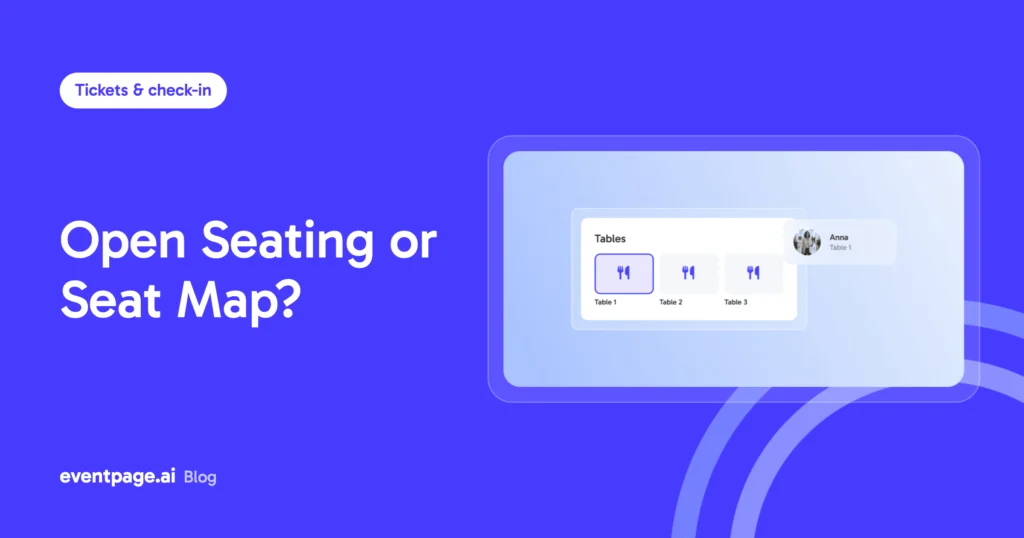
If you do not want to manage seats, tickets and check-in across three separate tools, you can use the seat map in eventpage.ai. Create zones and categories, assign them to ticket types and keep track of which seats have been allocated.
The assigned seat appears on the ticket PDF and wallet pass. VIP seating can be managed separately for sponsors and guests of honour. Released seats can return to sale through Return-to-Pool. Entry is handled through QR check-in. eventpage.ai is AI-powered, GDPR-compliant and hosted in Germany.
The seat map is a tool you can use when your conference needs assigned seating — and leave aside when open seating is the better option.
Invitation Management and Seat Allocation
For conferences with assigned seating, organisation starts with the invitation. Invitation management can be connected to seat allocation: invitations and responses need to align with the planned allocations for sponsors, VIPs or delegations. Planning invitations, ticket types and the seat map together helps keep promised seats and the final seating arrangement aligned.
Conclusion and Next Step
A good seating arrangement rarely attracts attention, but its absence is quickly noticed. Decide early whether your conference needs open seating or an assigned seat map. Document the allocation rules and connect each seat to the ticket. That gives your team more time for the programme and the attendees on the event day.
Plan your next event with a clear workflow for ticketing, seating, and check-in. Start for free with eventpage.ai and manage your event in one place.